Add a blog to your S3 static site
JAMStack blogging for your AWS S3 static site. Powerblog uses the architecture you trust: pre-built static files, a global CDN, zero servers. CloudFront routes /blog for automatic SEO and 90+ Lighthouse.
No credit card required. Set up in 15 minutes.
The S3 blogging dilemma
Every blogging option breaks your static stack
Your S3 site is fast and serverless. The usual ways to add a blog drag you back into build pipelines, databases, or frontend work you didn't sign up for.
Static generators need Git and builds
Hugo, Jekyll, and Gatsby mean Markdown, Git commits, and build pipelines. Non-technical teammates can't publish without a developer in the loop.
WordPress kills your serverless simplicity
Bolting on WordPress adds PHP, MySQL, plugins, and a steady stream of security updates, the exact infrastructure you moved to S3 to avoid.
Headless CMS still needs frontend work
A headless CMS hands you raw content but leaves you to build the presentation layer, handle SEO, and deploy it yourself.
Static site, real blog
What changes when your blog matches your S3 architecture
Same static, serverless principles, without building or maintaining the blog yourself.
| Aspect | Powerblog | Static site generator |
|---|---|---|
| Content editing | Visual editor | Markdown + Git |
| Publishing | Click publish | PR + build + deploy |
| Frontend development | Included | Required |
| Server management | None (static) | None (static) |
| SEO infrastructure | Automatic | Build yourself |
| Non-technical publishing | Yes | |
| Static speed, zero maintenance | ||
Route /blog to Powerblog, leave S3 untouched
Point CloudFront so that /blog/* serves from Powerblog while your existing S3 content stays exactly as it is. Both origins serve pre-built static files from global CDNs, no dynamic infrastructure added.
- CloudFront routes /blog to Powerblog on your domain
- Your existing S3 site stays completely untouched
- Static files served from 200+ CDN edge locations
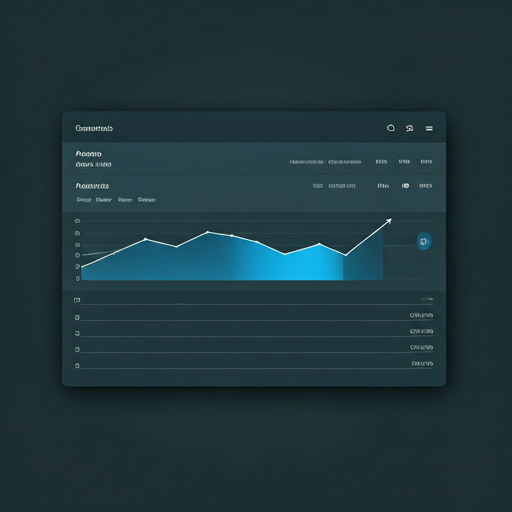
Everything an S3 site needs
Static-first blogging with nothing to maintain
No servers. No build pipeline. No security patches. Just a blog that matches your stack.
CloudFront Integration
Route /blog/* traffic to Powerblog while your existing S3 content stays unchanged on the same domain. One distribution, two static origins.
Static Architecture
Pre-built static content delivered through a global CDN with 200+ edge locations. No backend servers, exactly like your S3 site.
Built-in Lead Generation
Email capture, newsletter signups, and Zapier webhooks turn blog readers into leads, no third-party tools to wire up.
Multilingual SEO
Auto-translation to 37 languages with proper hreflang tags and language-specific sitemaps. Reach a global audience without plugins.
Visual Editor
Marketing and non-technical teammates publish independently, no Git, no build, no engineering involvement.
Developer-Friendly
Markdown support, API access, custom code injection, and content export keep your engineers in control when they want it.
Live in minutes on your existing domain
Connect Powerblog to your S3 site and start publishing
Create your blog
1-minute setup, no credit card required. Your static blog goes live instantly.
Route /blog in CloudFront
Add Powerblog as an origin and route /blog/* to it. Your S3 bucket keeps serving everything else, untouched.
Publish and rank
Write in the visual editor. Powerblog handles SEO, speed, schemas, sitemaps, and CDN delivery.
Static sites growing with Powerblog
Real performance from a real static architecture
90+
Lighthouse score guaranteed
<1s
First Contentful Paint
200+
CDN edge locations
Zero
Servers to manage
Loved by static site teams
200+ companies use Powerblog to publish fast, static content that ranks. Teams choose us for speed, SEO, and zero maintenance.
Read case studies“We host everything on S3 and didn't want a server creeping back in just for a blog. Routing /blog to Powerblog kept our stack clean.”
Priya Menon
Engineering Lead at Nimbus Cloud
“Our marketing team finally publishes without opening a pull request. Setup took an afternoon and the pages are blazing fast.”
Daniel Roth
Growth Marketer at Verge Analytics
“It looks and loads exactly like the rest of our static site, but we never touch build pipelines anymore. I'm not going back.”
Sofia Alvarez
Founder at Driftwood Studio
Everything you need to know before you add a blog
You add Powerblog as an additional origin in your CloudFront distribution and create a cache behavior that routes /blog/* to it. Your default behavior keeps pointing at your S3 bucket, so the existing static site stays untouched and the blog serves under the same domain.
Yes. Both origins serve pre-built static files from global CDNs. Powerblog adds no dynamic infrastructure, no PHP, no database, no servers, so the JAMStack principles behind your S3 setup stay intact.
Static generators require Markdown, Git commits, and a build pipeline for every post, which blocks non-technical teammates. Powerblog gives you the same static, CDN-delivered output with a visual editor, click-to-publish, and SEO built in, no build step to run.
Yes. The visual editor lets non-technical teammates write and publish independently. There's no Git workflow, no build, and no deploy, they click publish and the static pages are live.
Powerblog generates sitemaps, structured-data schemas, and hreflang tags automatically, with auto-translation to 37 languages and language-specific sitemaps. Technical SEO is handled for you rather than something you build yourself.
Yes. Powerblog guarantees a 90+ Lighthouse score with sub-1s First Contentful Paint, delivered from 200+ CDN edge locations, the same static-first performance profile as your S3 content.
Yes. CloudFront routing lets you serve the blog from a subdirectory such as /blog on your existing domain, so all SEO authority stays consolidated on one domain rather than a separate subdomain.
Yes. Powerblog supports custom code injection, Markdown, API access, and content export, so developers can customize behavior, add scripts, or move content out whenever they need to.
Still have questions? Talk to our team
Ready to add a fast, static blog to your S3 site?
Join 200+ teams running serverless blogs that load fast and rank, with nothing to maintain.
Start your free trialFree for 7 days • No credit card • Cancel anytime