A real blog for Squarespace, hosted on your own subdirectory
Squarespace is great for your site, but its blog leaves SEO and speed behind. Powerblog adds a fast blog for Squarespace with subdirectory hosting, automatic SEO, and 90+ Lighthouse scores, zero maintenance.
No credit card required. Set up in 15 minutes.
The Squarespace blogging gap
Your site is built for design. Its blog isn't built for SEO.
Squarespace nails website design, but blogging is a secondary feature. The SEO infrastructure and performance guarantees that drive organic traffic simply aren't there.
Missing modern SEO infrastructure
No automatic JSON-LD schemas, IndexNow pings, or LLMs.txt. Your content works harder than it should to get discovered.
Blogging is a second-class feature
Squarespace invests in templates and design tools. The blog gets the leftovers, so it lags on the things that actually grow traffic.
Performance depends on your template
Lighthouse scores swing with whichever template you picked. Slow pages rank lower and convert worse, and you can't reliably fix it.
Native blog vs. Powerblog
What changes when your Squarespace blog is built for ranking
Keep your Squarespace site. Run the blog on infrastructure designed for SEO and speed.
| Capability | Powerblog | Squarespace blog |
|---|---|---|
| Hosting on your domain | True subdirectory (/blog) | Native, limited control |
| Structured data (JSON-LD) | Automatic | |
| IndexNow + sitemaps | Built in | |
| AI search visibility | LLMs.txt included | |
| Performance | 90+ guaranteed | Varies by template |
| Multilingual SEO | 37 languages + hreflang | |
| Hosted on your own domain | ||
Focus on writing instead of fighting your CMS
Powerblog provides an optimized editor, CMS, hosting, SEO, security, and performance out of the box, served as a true subdirectory of your Squarespace domain. No themes or plugins to manage.
- True subdirectory hosting, not a JavaScript embed
- Automatic technical SEO engine
- Worry-free maintenance and security
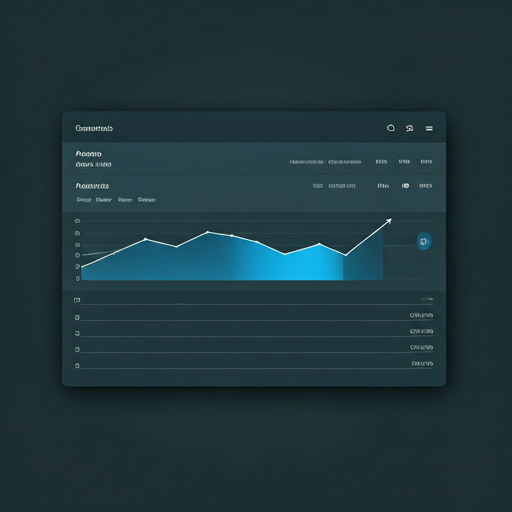
Everything a Squarespace site needs to blog
Built for ranking, not just publishing
No plugins. No template guesswork. No maintenance. Just features that grow traffic.
True Subdirectory Hosting
Serve your blog at yoursite.com/blog as a real subdirectory, not a JavaScript embed. SEO authority stays consolidated on your domain.
Automatic SEO Engine
JSON-LD schemas, XML sitemaps, IndexNow, and LLMs.txt generated automatically. Your content ranks without SEO expertise.
AI Search Visibility
LLMs.txt helps ChatGPT, Claude, and Perplexity discover your content. Be visible where your readers now search.
90+ Lighthouse Guaranteed
JAMStack architecture with a global CDN. Fast pages rank higher and convert better, with no template lottery.
Built-in Lead Generation
Email capture forms, CTAs, and Zapier webhooks. Turn blog readers into subscribers and customers without third-party tools.
Multilingual SEO
Auto-translation to 37 languages with proper hreflang tags. Reach a global audience without plugins or workarounds.
Go live in minutes, rank in weeks
Connect Powerblog to your Squarespace site and start publishing
Create your blog
1-minute setup, no credit card required. Your blog goes live instantly.
Connect your domain
Point yoursite.com/blog at Powerblog via Cloudflare. We handle hosting, SSL, and CDN as a true subdirectory.
Publish and rank
Focus on content. We handle SEO, speed, schemas, sitemaps, and everything else.
Squarespace sites growing with Powerblog
Real results from real teams
90+
Lighthouse score guaranteed
37
Languages supported
24 hr
Typical migration time
15 min
Average setup time
Loved by growth teams
200+ teams use Powerblog to publish content that ranks. They choose us for speed, SEO, and zero maintenance.
Read case studies“Our Squarespace site looks great, but the blog was holding back our SEO. Powerblog fixed that without us touching the main site.”
Elena Costa
Marketing Lead at Northwind Studio
“Getting a fast blog onto our own subdirectory was shockingly quick. More time writing, less time wrestling with templates.”
Devin Park
Founder at Cresta Goods
“The automatic SEO and performance guarantee meant we could just publish. Traffic started climbing within weeks.”
Priya Menon
Content Manager at Brightleaf
Everything you need to know before you switch
You point a subdirectory like yoursite.com/blog at Powerblog, typically through Cloudflare. We host and serve the blog under your domain as a true subdirectory, so SEO authority stays consolidated and your Squarespace site is untouched. Setup usually takes about 15 minutes.
Squarespace is excellent for website design, but blogging is a secondary feature. It lacks automatic JSON-LD schemas, IndexNow, and LLMs.txt, and performance varies by template. Powerblog gives you a purpose-built SEO and performance engine while you keep your Squarespace site.
Yes. JavaScript-embedded blogs load content after scripts execute, which can limit how reliably search engines index it, and they can split authority between your main site and the embedded content. Powerblog serves a true subdirectory, so content is indexable and your domain authority stays consolidated.
Yes. Powerblog lets you customize the blog's look so it feels consistent with your Squarespace brand and site, while still delivering the speed and SEO that come from purpose-built infrastructure.
Yes. We offer free migration assistance, typically completed within 24 hours, with redirects configured so you preserve your existing SEO value as content moves to Powerblog.
No. Migration includes proper redirect configuration to preserve the SEO value of your existing URLs, and once live your content benefits from automatic structured data, sitemaps, IndexNow, and guaranteed performance.
Hosting, the CMS and editor, the automatic SEO engine, lead-generation tools, multilingual support across 37 languages, security, and a guaranteed 90+ Lighthouse score, all out of the box with no plugins to manage.
Powerblog guarantees 90+ Lighthouse scores using JAMStack architecture and a global CDN, so you get consistent speed rather than scores that swing with your template choice.
Still have questions? Talk to our team
Ready to give your Squarespace site a blog that ranks?
Join 200+ teams running fast, SEO-ready blogs on their own subdirectory.
Start your free trialFree for 7 days • No credit card • Cancel anytime