Add a blog for Webflow that outperforms the native CMS
Webflow handles your website. Powerblog handles your blog. Get a blog for Webflow with automatic SEO, 90+ Lighthouse scores, lead capture, and true subdirectory hosting on your own domain, no custom code.
No credit card required. Set up in 15 minutes.
The Webflow CMS blogging gap
Webflow is great for sites. Blogging is where it strains.
Webflow's CMS was built for marketing pages, not content engines. The moment you scale a blog, the SEO ceiling, performance variance, and CMS-item pricing all start working against you.
Limited SEO control
JSON-LD schemas need manual custom code, there's no IndexNow for instant indexing, and no LLMs.txt for AI search visibility.
No automatic optimization
Performance depends on your design choices. There's no guaranteed Lighthouse score, so a heavy template quietly drags your rankings down.
Costs scale with content
CMS-item pricing grows as your blog grows. The more you publish, the more your plan costs, exactly the opposite of what you want.
Powerblog vs. native CMS
What changes when your blog lives outside Webflow's CMS
Same Webflow site. A blog engine built for SEO and scale.
| Feature | Powerblog | Webflow CMS |
|---|---|---|
| JSON-LD schemas | Automatic (Article, FAQ, Breadcrumb) | Manual custom code |
| IndexNow | Built-in instant indexing | |
| LLMs.txt for AI search | Auto-generated | |
| Performance | 90+ Lighthouse guaranteed | Design-dependent |
| Lead capture | Built-in forms + Zapier | Third-party required |
| Multilingual SEO | 37 languages + hreflang | Manual setup |
| SEO infrastructure the CMS can't match | ||
Keep your Webflow design. Upgrade your blog.
Powerblog serves your blog at yoursite.com/blog with optimized UI, CMS, hosting, SEO, and performance out of the box. Your site stays in Webflow, your content finally ranks.
- Subdirectory hosting via Cloudflare, any Webflow plan
- Automatic technical SEO engine
- Sub-second JAMStack delivery on a global CDN
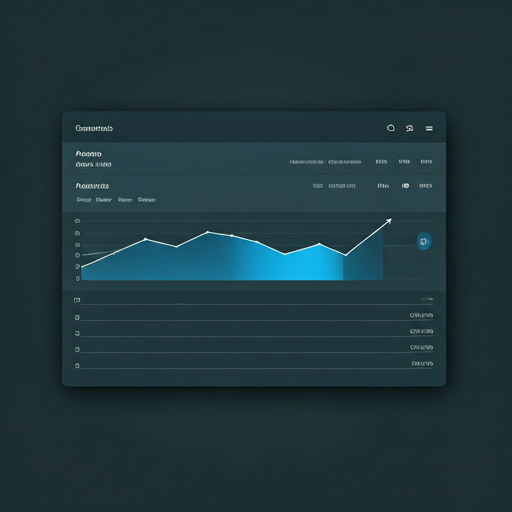
Everything Webflow teams need
Built for designers and agencies who want results, not maintenance
No custom code. No plugins. Just a blog engine that works the way Webflow's CMS can't.
Subdirectory Integration
Host your blog at yoursite.com/blog through Cloudflare. Works with any Webflow plan and needs zero coding to set up.
Automatic SEO Engine
JSON-LD schemas, XML sitemaps, IndexNow, and LLMs.txt generated automatically, SEO infrastructure the native CMS simply cannot match.
Built-in Lead Generation
Email capture forms, sidebar widgets, and pop-ups with Zapier integration to push leads straight into your CRM.
Multilingual SEO
Auto-translation to 37 languages with proper hreflang tags and language-specific sitemaps. Reach a global audience without manual setup.
Guaranteed Performance
JAMStack architecture with global CDN delivery and sub-second load times. 90+ Lighthouse scores, regardless of your design.
Client-Friendly Editor
An intuitive, SEO-focused editor that non-technical users handle on their own, ideal for agencies handing off to clients.
Go live in minutes, rank in weeks
Connect Powerblog to your Webflow site and start publishing
Create your blog
1-minute setup, no credit card required. Your blog goes live instantly with SEO and performance handled.
Connect your subdirectory
Point yoursite.com/blog at Powerblog via Cloudflare. Your Webflow site stays exactly as it is.
Publish and rank
Focus on content. We handle SEO, speed, schemas, sitemaps, IndexNow, and everything else.
Webflow teams growing with Powerblog
Real results from real teams
200+
Teams publishing on Powerblog
90+
Lighthouse score guaranteed
99.99%
Uptime guarantee
37
Languages supported
Loved by Webflow teams
200+ teams use Powerblog to publish content that ranks. Designers, agencies, and freelancers choose us for SEO, speed, and zero maintenance.
Read case studies“We wanted technical SEO handled so our team could focus on writing good content. Powerblog alongside our Webflow site is exactly that.”
Priya Menon
Marketing Lead at a Webflow agency
“Spinning up a fast blog on our client's domain used to mean custom code. Now it's a 15-minute job and the Lighthouse scores speak for themselves.”
Tom Hargreaves
Freelance Webflow Developer
“Our clients manage their own posts in the editor without ever calling us. The handoff finally just works.”
Sofia Reyes
Founder at a Design Studio
Everything you need to know before you add a blog
You host your blog at a subdirectory like yoursite.com/blog using Cloudflare. Your Webflow site is untouched, Powerblog serves the blog under your domain so SEO authority stays consolidated, and no custom code is required.
Webflow's CMS works for simple content, but JSON-LD schemas need manual custom code, there's no IndexNow or LLMs.txt, performance varies with your design, and CMS-item pricing rises as you publish more. Powerblog gives you all of that automatically, with costs that don't balloon as your blog grows.
Yes. The blog runs under your domain and can be styled to match your Webflow site's look and feel, so readers experience one seamless brand.
Yes. Serving your blog at yoursite.com/blog through Cloudflare is part of Powerblog, there's nothing extra to buy and it works with any Webflow plan.
Automatic JSON-LD schemas, XML sitemaps, IndexNow for instant indexing, and LLMs.txt for AI search visibility, all generated for you. It's SEO infrastructure the native CMS cannot match.
Absolutely. The editor is intuitive and SEO-focused, so non-technical clients publish and edit posts on their own. It's built with agency handoffs in mind.
Powerblog includes email capture forms, sidebar widgets, and pop-ups, with Zapier integration to send new leads straight into your CRM, no third-party tools required.
You can migrate your existing posts to Powerblog and serve them from your subdirectory, so you keep your content and gain the automatic SEO and performance benefits going forward.
Still have questions? Talk to our team
Ready to give Webflow the blog it's missing?
Join 200+ teams publishing content that ranks, without touching custom code.
Start your free trialFree for 7 days • No credit card • Cancel anytime